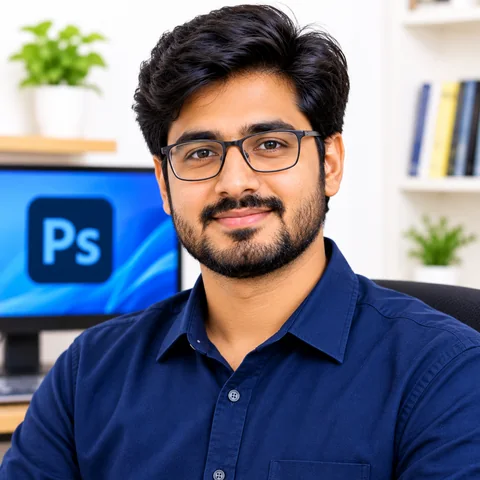
Arjun Mehta is a digital imaging specialist and Adobe Photoshop expert with more than 10 years of experience in photo editing, graphic design, AI-powered image enhancement and creative workflows. He has worked with photographers, designers, content creators, marketers and businesses to produce visuals for digital and print media.
At AdobePhotoshop7.org, Arjun writes tutorials, troubleshooting guides and step-by-step articles about Adobe Photoshop, Adobe Camera Raw, image restoration, photo retouching, layer management, masking and professional editing workflows. His goal is to make Photoshop accessible to beginners and experienced designers alike.
He regularly tests Adobe features, plugins and AI tools, and updates tutorials to reflect current practices. His articles focus on practical ways to improve image quality and work efficiently, with clear instructions.
Areas of expertise
- Adobe Photoshop and Adobe Creative Cloud
- AI Generative Fill and AI image enhancement
- Photo retouching, background removal and image restoration
- Color correction and color grading
- Layer masks, Smart Objects and RAW image processing
- Digital painting, graphic design and product photo editing
- Photoshop tips, tutorials and creative workflow optimization
Generative Fill and other newer AI features are available only in supported newer Photoshop versions; they are not features of Photoshop 7.0. Guides on this site distinguish newer workflows from the older version.
When he is not creating tutorials, Arjun enjoys photography, UI/UX design, digital illustration and exploring emerging creative technologies.
How his tutorials help
Arjun aims to make each guide useful at the point where a reader gets stuck. Articles break a task into clear steps, explain what a setting changes and identify where version differences matter. Troubleshooting pages help readers check likely causes before changing system settings or risking their original files. For image work, the focus is on repeatable methods: keep a clean source, use layers where practical, inspect the result at useful magnifications and save an editable copy before exporting.
His work spans everyday edits and more involved design tasks, from correcting colour and cleaning up a portrait to preparing product images and combining visual elements. He writes for readers with different levels of experience and aims to explain both the action and the reason behind it. When a feature depends on a recent Photoshop release, the guide should make that distinction clear rather than imply that every tool exists in version 7.0.
About the site and its guidance
Arjun publishes this independent website; it is not affiliated with, endorsed by or sponsored by Adobe. Content is intended as practical guidance, not a guarantee. Photoshop menus and features vary by version, operating system and language. For important decisions, check the relevant official source and try unfamiliar edits on a copy of your file.
Some installation pages show screenshots of the Photoshop 7.0 setup program. Personal details and serial numbers in those pictures are blacked out. The methodology page explains how content is prepared, and the editorial policy describes the site's standards.
Send a correction or a question
To report an error, email [email protected] with the page address, the sentence concerned and what you saw instead. If an official source settles the point, include its link. Please do not send serial numbers, identity documents or other people's photographs.
You can also read more about the site.